
Skip to content
GateSetu

Features

What you get today, and what is coming in Phase 2 for plants that want the dispatch note confirmed at the gate too.

In the product today

Today screen

The nightly report as a screen: loaded out, came in, out empty, load unknown, then a 24-hour coverage bar that shows exactly when the camera was on and why it was off. Pull to refresh.
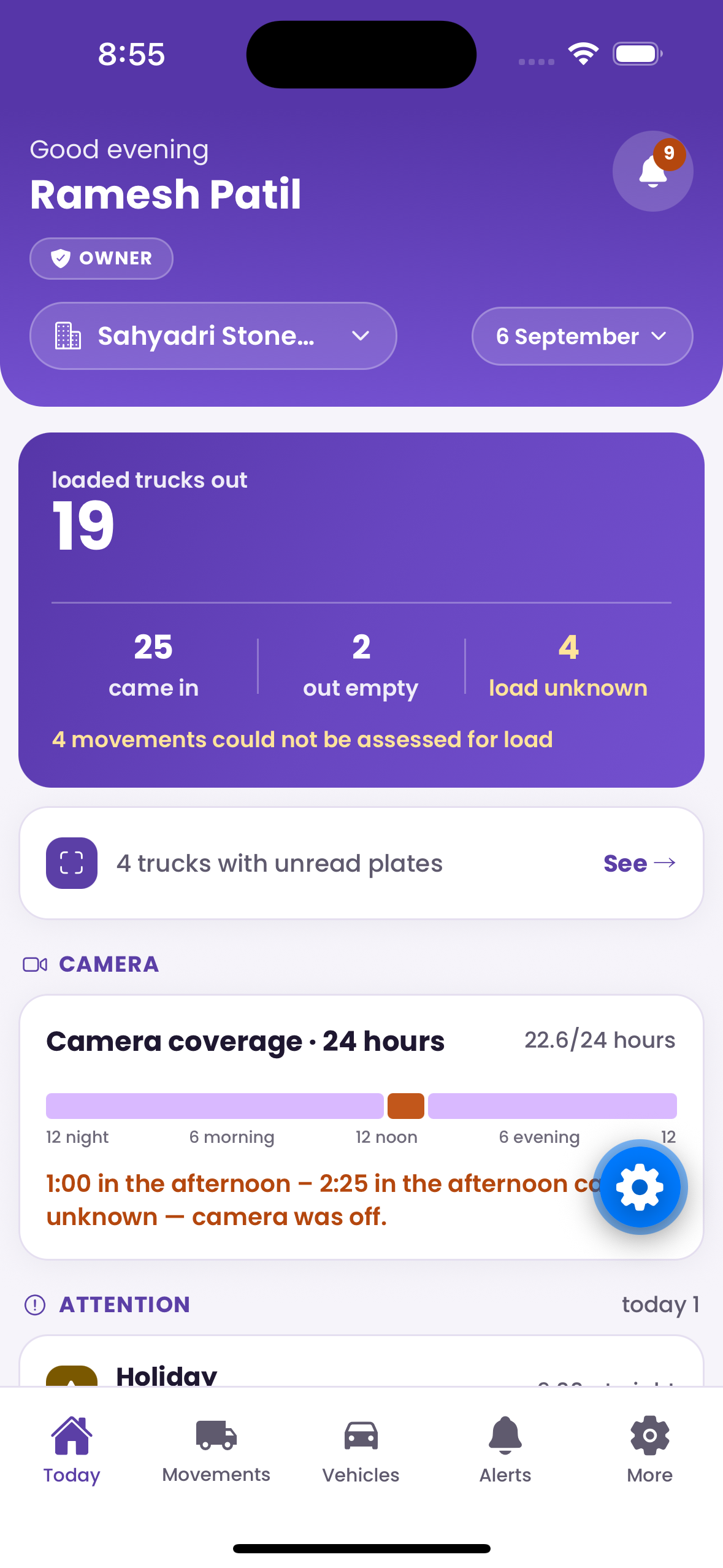
GateSetu Today screen showing 19 loaded trucks out, 25 in, 2 out empty, 4 load unknown and a 24-hour coverage bar with one gap

Movements

Every truck of the day: thumbnail, time, in or out, plate or “unread”, loaded or empty or unknown, after-hours tag. Filter by all, in, out, unknown, after hours. Tap for the plate frame and the body frame side by side.
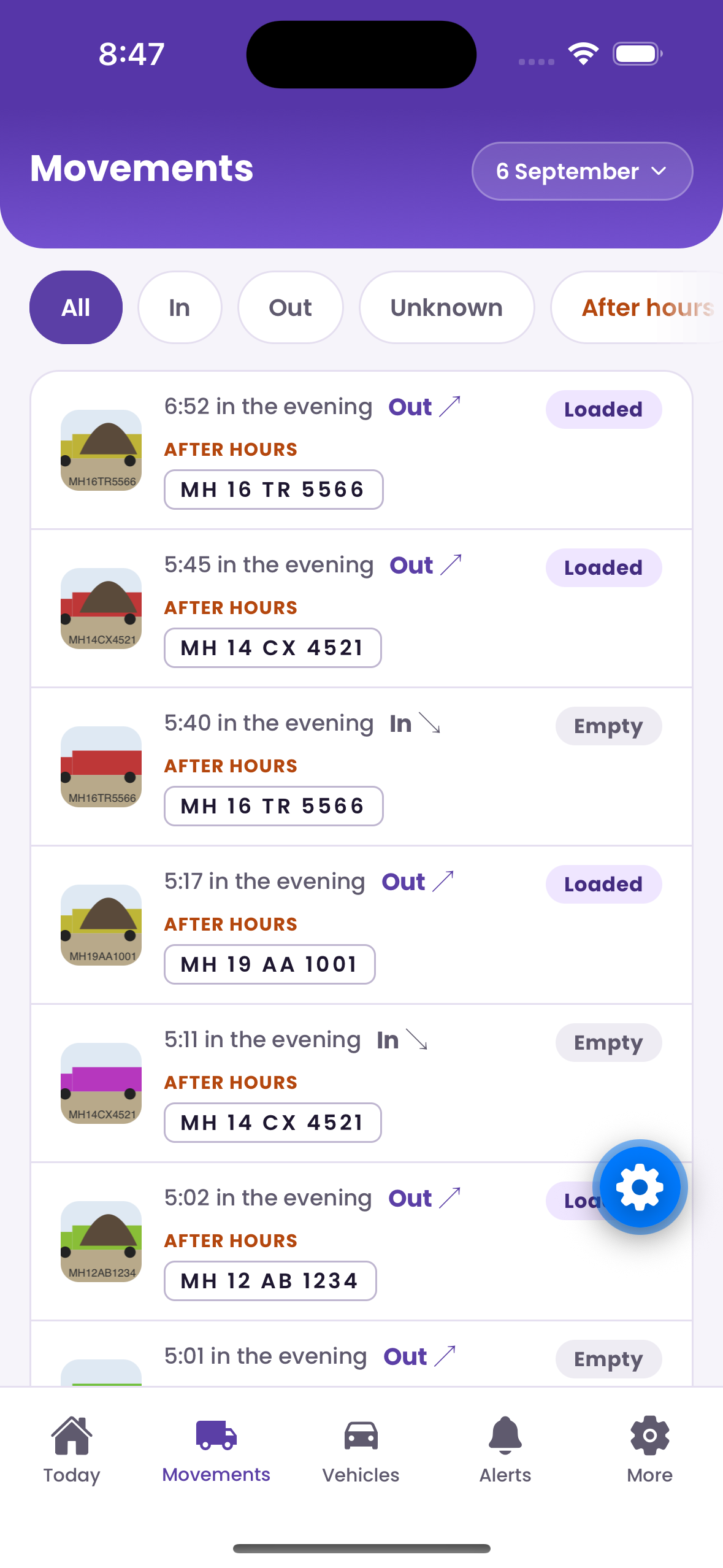
GateSetu Movements screen listing trucks with time, direction, number plate and Loaded or Empty tags, several marked After hours

Alerts

After-hours movement with photo, holiday movement, over-trips, camera health. Acknowledge with “Seen”. Pause night alerts until morning with “Not tonight” when you know a truck is out.
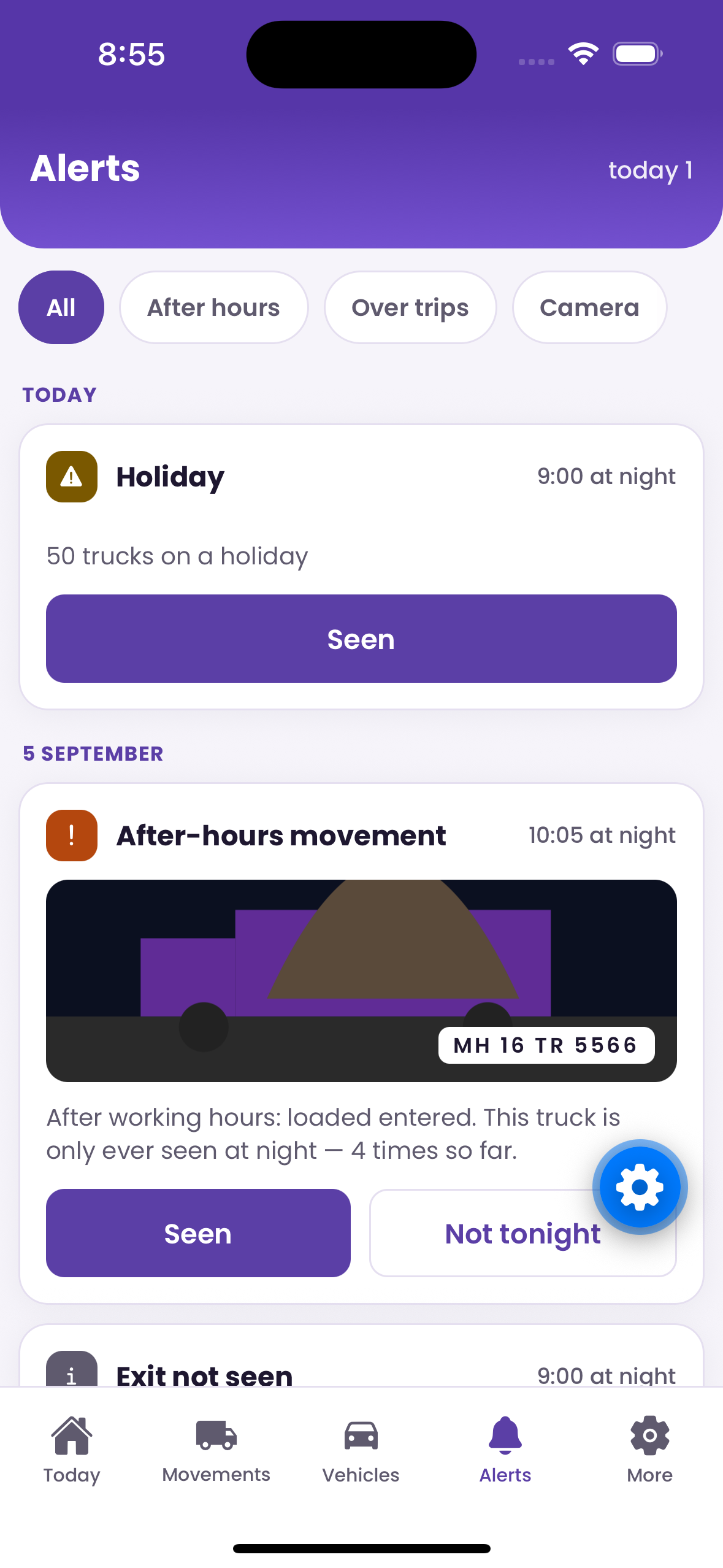
GateSetu Alerts screen with an after-hours movement alert showing a loaded truck photo, its plate, and Seen and Not tonight buttons
Vehicles
Every plate the camera has seen: trips per day, first and last seen, full history. Spot the truck that suddenly doubles its trips.
Camera health
Last frame time, sharpness against the install baseline, clock, mains power, disk, software version. A dirty lens, a covered lens, a turned camera and a power cut each get their own plain-language message.
WhatsApp report and alerts
The nightly message and instant alerts go to every owner phone on WhatsApp, with reply buttons. Works even if the app is never installed. Push notifications mirror the alerts and open the exact photo.
Evidence that cannot be edited
Append-only records, SHA-256 chained, verified on every sync. Photos served through expiring links. Support actions by Aariko logged and shown to you in the app.
Owner settings
Working hours, weekly off, holidays, report time, language, average load per truck, alert channels per rule, other owners of the plant, active devices. Every change is dated and logged; nothing is overwritten.

Phase 2 — coming soon

Coming soon

The camera gives you plate, time, direction and loaded or empty. It cannot see quantity or customer. Phase 2 adds a gatekeeper login so those come from a person at the gate, and the camera becomes the check on them: every loaded truck that leaves without a dispatch note is an alert with a photo.

Dispatch notes and gatekeeper loginPhase 2
A gate staff login with one screen. When the camera sees a truck, the phone buzzes: “Here for?” at entry, and a pre-filled dispatch note (customer, product, quantity) at exit. Most exits are one Confirm tap. A loaded truck leaving without a note becomes an owner alert with the photo.
WhatsApp challan to the customerPhase 2
The moment a note is confirmed, your customer gets “Your truck MH 12 AB 1234 left with 3 brass 20 mm at 4:10 pm” with the photo. Fewer disputes.
Owner approvals at the gatePhase 2
Credit customer over limit, or release without payment: the gate holds, you get a push, you tap Approve or Hold from wherever you are.

Start with one gate

Tell us the plant type and where it is. We will tell you what the install looks like and what it costs.

Powered by Aariko Systems

WhatsApp us